Reports Enhancements
The following Dynamic reports have been enhanced to enable users to view the aging and balance details of accounts for a selected date range:
-
Account Balances
-
AR Aging Summary
-
AR Aging Details
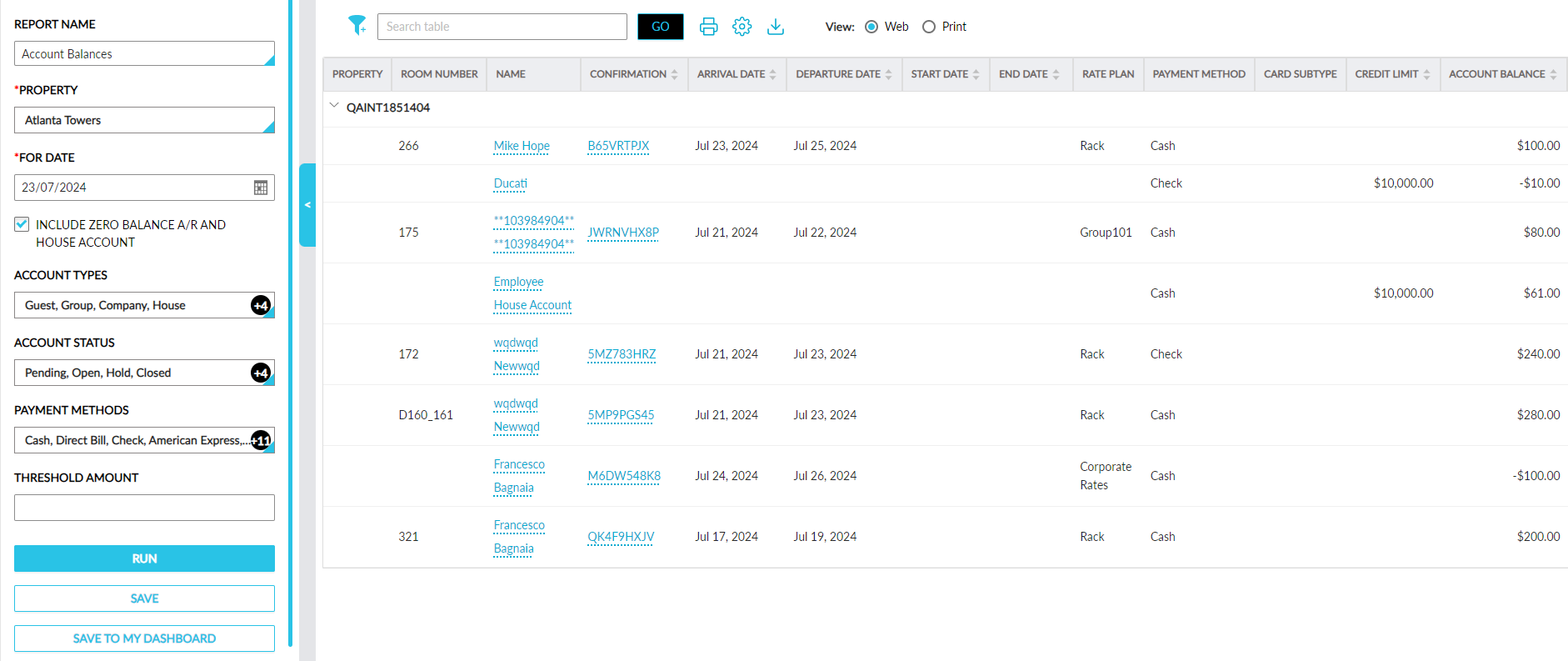
Account Balances Report
The report generation parameter, Zero Balance A/R and House A/C has been renamed as Include Zero Balance A/R and House Account.
AR Aging Summary Report
-
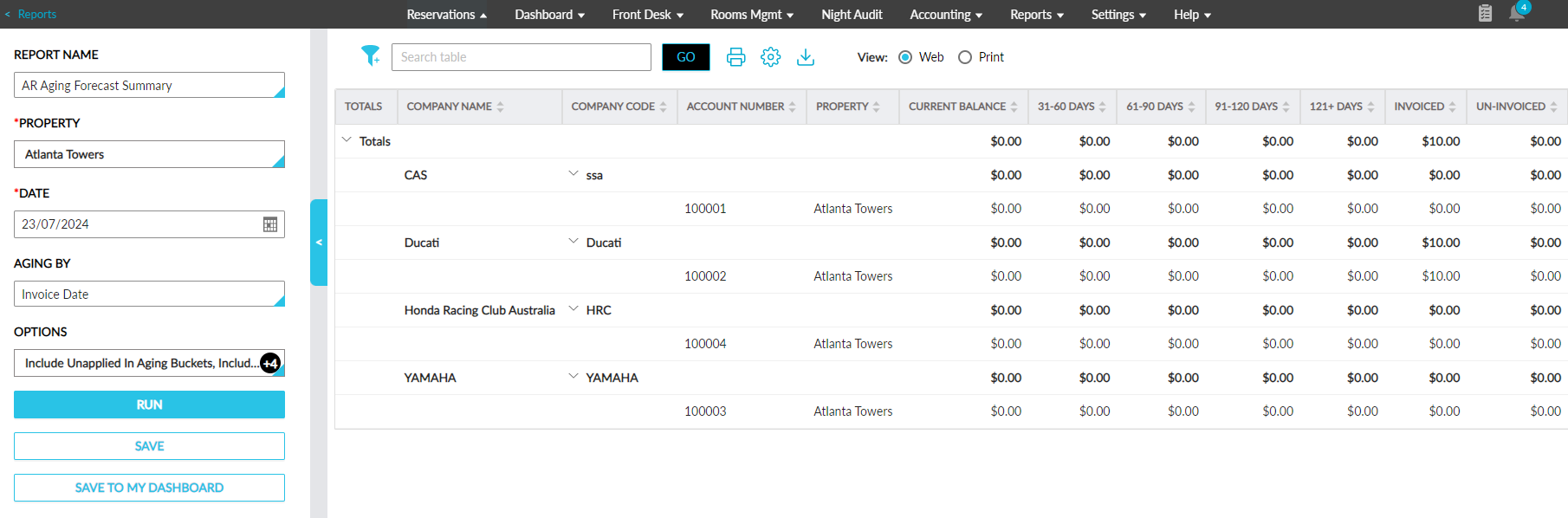
The AR Aging Summary report has been renamed as AR Aging Forecast Summary.
-
A new report generation parameter, Aging By, has been added. This is a single-select drop-down list that displays the following options:
-
Invoice Date: When selected, aging is calculated from the date of report generation up to the date of invoice creation (report generation date - invoice creation date). This option is selected by default.
-
Due Date: When selected, aging is calculated from the date of report generation up to the due date of the account (report generation date - account due date).
-
AR Aging Details Report
-
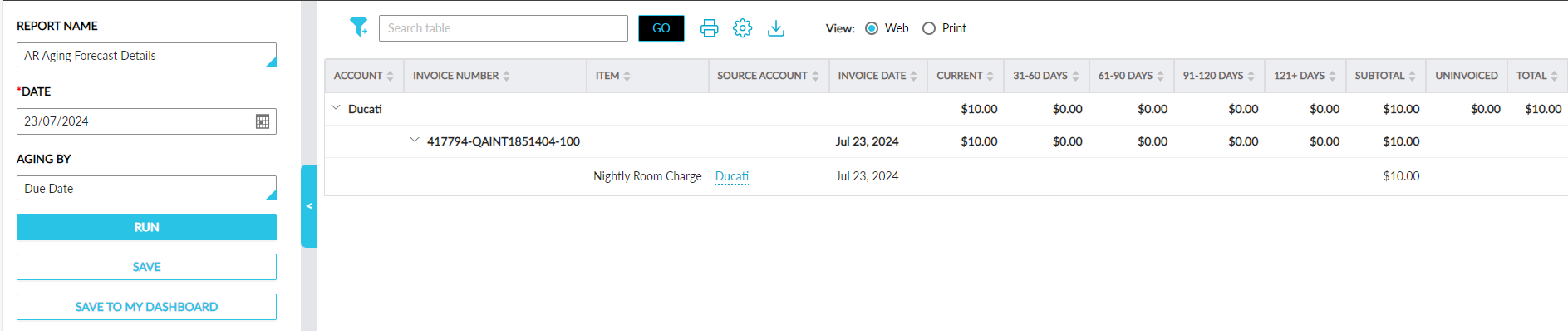
The AR Aging Details report has been renamed as AR Aging Forecast Details.
-
A new report generation parameter, Date, has been added. This is a mandatory field that displays the current property date by default. This field allows users to select past and future dates.
Based on the date selected by the users, aging is calculated as Selected date - Invoice date and the amount is displayed in the respective aging buckets. For example, if the report is generated on June 05, 2024, and the invoice creation date is May 01, 2024, the invoice amount is displayed in 31-60 Days bucket.
If the selected date is in the past and the invoice creation date is in the future, the invoice amount is displayed in the Current bucket.
-
A new report generation parameter, Aging By, has been added. This is a single-select drop-down list that displays the following options:
-
Invoice Date: When selected, aging is calculated from the date of report generation up to the date of invoice creation (report generation date - invoice creation date). This option is selected by default.
-
Due Date: When selected, aging is calculated from the date of report generation up to the due date of the account (report generation date - account due date).
-